Destiny Discover is password protected so it will ask you to log in. The login is: student# (user ID) student # (password).
For TeenBookCloud the login is: tdsb (user ID) and reads(password)accessed ONLY after logging into AW and accessing through the Virtual Library.
If you already have a Toronto Public Library library card, then you already know that you can borrow books through curbside pickup at your closest branch or borrow ebooks to read online using their Overdrive platform or Libby app.
If you don’t have a library card for the Public Library, it’s easy to get one online if you live in Toronto by registering for a Digital Access Card.
Ms. Jackson’s Grade 10 History class will be researching for their essay on the 1920s as well as reviewing the basics of using Chicago style of Citation.
Within the Virtual Library there are a few databases that we can use to search information that we consider trustworthy and reliable.
Remember that the databases are password-protected and some of the passwords have changed since last year. You will need to be logged into AW to access these resources. Look for the orange Passwords and Info icon at the top of the Virtual Library home page.
In the Virtual Library, you’ll use the yellowFIND tile to search in the Subject Resource Find Table.
First, input yourGrade: 9-12, next, under Resource Typeselect All Resources and last, under Subject, choose History from the dropdown menu. This will bring you to databases and websites that are TDSB-approved.
You may also look at resources in the Subject Guides, under Social Studies, History and Geography, Grade 10 under the appropriate timeframe that includes the 1920s.
It is crucial to properly reference information that is not your own in order to give credit where it’s due and also to avoid PLAGIARISM. Providing your teacher with a URL for a website used unfortunately will not cut it anymore
Using the following information will put you on the right track to creating a bibliography to be proud of! (Remember to keep track of where you found your information so that formatting your bibliography will be a breeze!)
Below you’ll find the Laurier Guide for Chicago Citation.
Remember to look to OWL @ Purdue for other questions that arise about citation. It’s where Ms. Kelso or Ms. Vilicic go when we’re looking for information about citation.
Welcome to the Library, Ms. Stewart’s Grade 11/12 Visual Arts class! You’re here today to review good research strategies and how to cite your resources in MLA format.
Within the Virtual Library there are a few databases that we can use to search information that we count as trustworthy and reliable.
Remember that the databases are password-protected and some of the passwords have changed since last year. You will need to be logged into AW to access these resources. Look for the orange Passwords & Info icon in the Virtual Library.
You’ll see this at the top of the Virtual Library page.
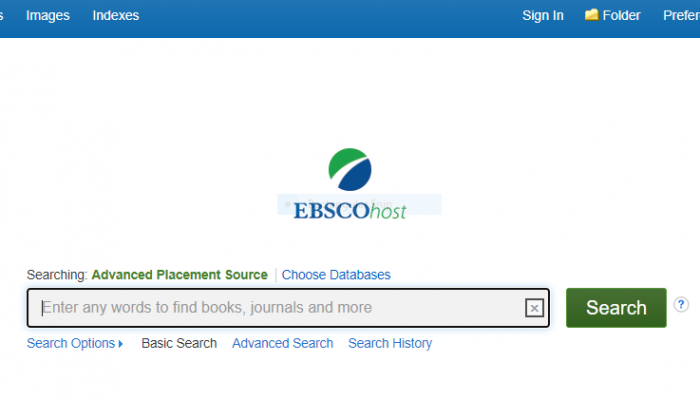
Today we’re going to look at the best database, (Advanced Placement Source) within the TDSB’s Virtual Libraryfor your peer-reviewed articles.
Remember that the databases are password-protected and some of the passwords have changed since last year. You will need to be logged into AW to access these resources. Look for the orange Passwords & Info icon in the Virtual Library.
You’ll see this at the top of the Virtual Library page.
The user id for EBSCO databases, such as Advanced Placement Source istdsb and the password is trillium21!
We will also review APA referencing as you will need to cite your source for your article. Please reference the following document for examples, specifically on page 2.
Remember to select your grade, 9-12, when searching for these databases. The loginfor Gale in Context-Global Issues is trillium. The login/password for the other databases istdsb/trillium20!
You will need to keep track of your resources as you research so that you are able to format them properly in APA. Check the examples below.
Watch the following videos for help in referencing your visuals in APA format. The following 2 videos give good overviews of 1) sourcing images that are free to be reproduced and 2) what to do if you do not have all the information you need. From Charles Darwin University: Using and Referencing Images in APA From Humber College Library: APA 6th in Minutes: Online images
You should make sure that you are able to reference whatever image you are using and that may take some careful searching within websites for the creator of the image.
Welcome to the library, Ms. Parsekhian’s HZT4U class! You’re here today for a review of how to cite sources (including your textbook) in bibliographic format using the Chicago school of citation for your Finding (a) Meaning to Life Assignment.
We have provided a handy PDF to refresh your memory of what a Bibliography looks like in Chicago style format. Remember: you aren’t expected to memorize this but be able to locate examples that will serve as a guide to formatting your own sources.
Using the Virtual Library, we recommend Britannica ImageQuest (the user ID is trillium and the password is trillium) which also has a built-in citation tool-(remember for this assignment you are using Chicago) and Creative Commons for images that are in the public domain and therefore free to use as they are covered by Creative Common Licences. They still require referencing, however.
Google is often our quickest and easiest option but you cannot cite Google as a source for a visual found in Google Images. You will need to become familiar with the Tools feature within Images which leads you to Usage Rights and images that have Creative Commons Licences. Your goal is to find the source/creator of the visual and as much detail as possible about the image. Pexels, Unsplash, Pixabay and Wikimedia Commons options for public domain images that have Creative Common Licences.
For famous quotes, you may simply use Google but a website like Goodreads will generate a list of famous quotes for you, often providing linked website (click on the picture to) for further reading as well as citation purposes.
Finally, if you find the perfect quote, try to locate the most academic source possible. However, if this is problematic, ensure that you still cite the web source appropriately.
Destiny Discover is password protected so it will ask you to log in. The login is: student# (user ID) student # (password).
For TeenBookCloud the login is: tdsb (user ID) and reads(password).
If you already have a Toronto Public Library library card, then you already know that you can borrow books through curbside pickup at your closest branch or borrow ebooks to read online using their Overdrive platform.
If you don’t have a library card for the Public Library, it’s easy to get one online if you live in Toronto by registering for a Digital Access Card.
Welcome back Grade 12 biology students! Your slide presentation needs visuals which in turn need to be cited in APA. In this situation you need to reference the source of the visual and unfortunately stating Google Images as the source will not suffice.
Simply put, you may NOT cite Google. It is a search engine, not a source. You have to dig deeper to cite images that are found through Google.
Here are a couple of short videos that may help you in this process, both of which I have permission to share with you.
The first one is valuable in that it shows where to find images that are free to be used in Google.
The second one shows how to cite images that may or may not have all of the information that you need.
These videos give slightly different information in terms of the placement of the date. The first video shows the date placed immediately after the creator’s name and no mention of the type of image.
The second video shows the creator’s name, the type of work and then the date.
Which one is accurate? The main difference is that the creator’s role (photographer) is mentioned in the second video as well as the type of image [photograph].
Note: if the image does not have a title, describe the image and put that description in square brackets.
Brock University and Simon Fraser University also have included great examples of citing images that you can reference as well.
From Brock U. 7.2: Using Images on Slides
If you use images, such as photographs or clipart, on your slides, you should also credit the source of the image. Do not reproduce images without permission. There are sources for clipart and images that are “public use” according to Creative Commons licensing such as:
Photographs are treated as figures in APA Style. Therefore, the citation for the source of the image is included as a footnote in the figure caption underneath the photograph which includes the figure number and a description. The source of the image obtained is attributed using the following model:
Figure 1. Blah blah blah. From Title of Image, by Author, Year. Retrieved from URL.
Another option for citing image sources is to create a separate slide titled “Photo credits” or “Image Sources”. For more assistance on the various ways to cite images in presentations (but not necessarily in APA format), see:
How to credit photos (Photoshare.org). Provides examples of various ways to credit image sources in Powerpoint, on webpages, and in print materials.
For more assistance in creating figures in APA Style, see the following sections & pages of the Publication Manual, 6th edition:
2.12 Footnotes (pages 37 -38)
5.20 – 5.25 Figures (pages 150 – 167)
Now that you know what you’re looking for, there are lots of places to look for images or illustrations for this assignment that are covered by Creative Common licenses which means that you can share and edit the material as long as you give appropriate credit.
Today you will be looking at a variety of sources while researching your chosen topics. Some of those sources should include….
The Virtual Library’s Educator Resources are used by Teachers when they need to do related research in the field of education. Seems like a solid place to go….. Use the different databases found here and be sure to keep a record of each source as it’ll make citation far easier.
The Advanced Placement Source also provides elite-level access to a high-achieving academic database. With access to thousands of peer-reviewed journals and other academically viable sources of research, the AP Source should be used heavily in your research. Login and Password for the AP Source can be found on theVirtual Library Home Page in the orange passwords and info icon.
Passwords can be found in your student agenda or on the Learnmarks provided to your Homeform in September.
The link for the Educator resources @ the Virtual Library
Teen Health and Wellness is a database in the Virtual Library that focuses on issues relevant to teens such as bullying and academic anxiety.
The Internet is an acceptable place to search as long as you are looking for reputable websites that often end in .org, .edu, .com, .gov., .ca, .on. Canadian newspapers such asThe Toronto Star & The Globe and Mail report on local and national education issues as well. Other sources include local teacher union websites such as OSSTF (secondary) and EFTO(elementary) Jennifer Brown, as the current ETT President, has written many articles about the status of education as well. The Conversation is also a hub for education issues. EDCAN.ca is another source of information on current educational issues.
Citation
For your annotated bibliography, you will be using the APA school of citation.
Here are some common examples of what that should look like.
The file discussed with the class for easy access can be found here The APA Working File.
Remember to look to OWL @ Purdue for other questions that arise about citation. It’s where Ms. Kelso or Ms. Vilicic go when we’re looking for information about citation.
Remember to look to OWL @ Purdue for other questions that arise about citation. It’s where Ms. Kelso or Ms. Vilicic go when we’re looking for information about citation.
Look at this slide show for basics on how/where/when to use the Footnotes.
In terms of research, the following databases as well as the Virtual Library are a good start.
Here are some links to primary sources that you might find useful: